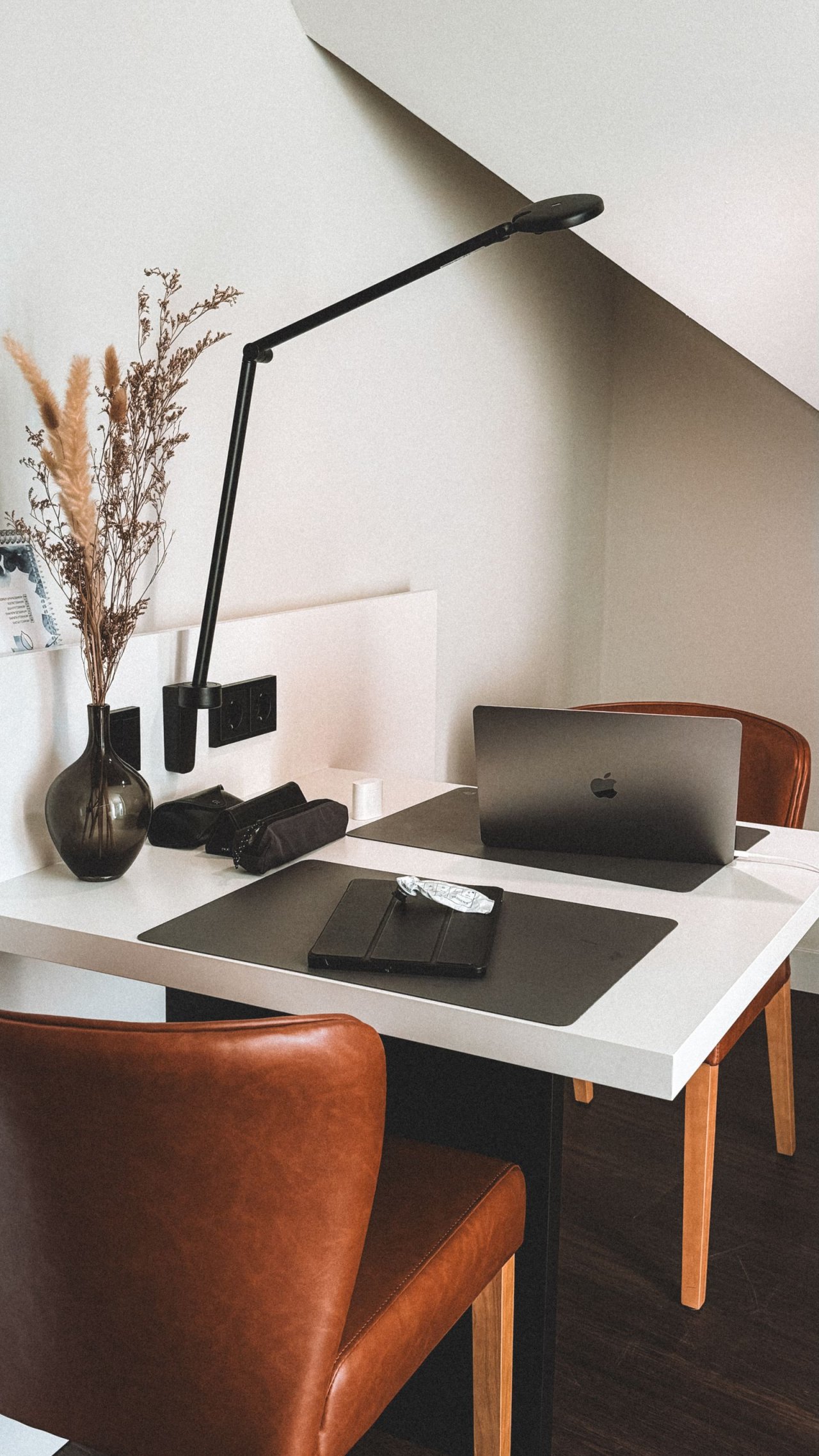
A rental office corner has two jobs: support the work while you are there, and return space to the home when you finish. A desk that fits against the wall can still fail if the chair blocks a cupboard or the laptop has nowhere to go at dinner.
Design the changeover first. Decide what stays assembled, what packs away and where each loose item lives overnight. Then choose the smallest arrangement that supports your actual tasks without alterations to the property.
Write the shutdown before the shopping list
Describe a normal work session on paper: typing, reading documents, taking calls, perhaps sketching. List only the equipment those tasks require. Separate daily essentials from things you occasionally fetch, such as a printer or reference books.
Next write the evening version of the corner. For example: laptop in its sleeve on a designated cupboard shelf, keyboard and mouse in a handled tray, chair tucked under the desk, notebook closed. Give the tray a real destination; moving it onto the sofa simply transfers the obstruction.
Gather a tape measure, notebook, the actual chair and equipment you already own, and the assembly instructions for any furniture you might reuse. Photograph existing marks on the wall and floor for your own baseline. Check your tenancy documents and ask the property manager about any proposed attachment whose permission is unclear. This is a planning step, not a statement about rental law.
Set one buying rule: every addition must improve a named task or reduce the effort of packing away. A decorative shelf that adds a mounting problem has not yet earned its place.
Measure the corner with someone sitting in it
Draw two outlines: the furniture when closed and the space occupied during work. Include the chair pulled back far enough to stand, your legs, an open drawer and any nearby cupboard door. Measure from projecting skirting and handles, rather than assuming the wall is the limiting edge.
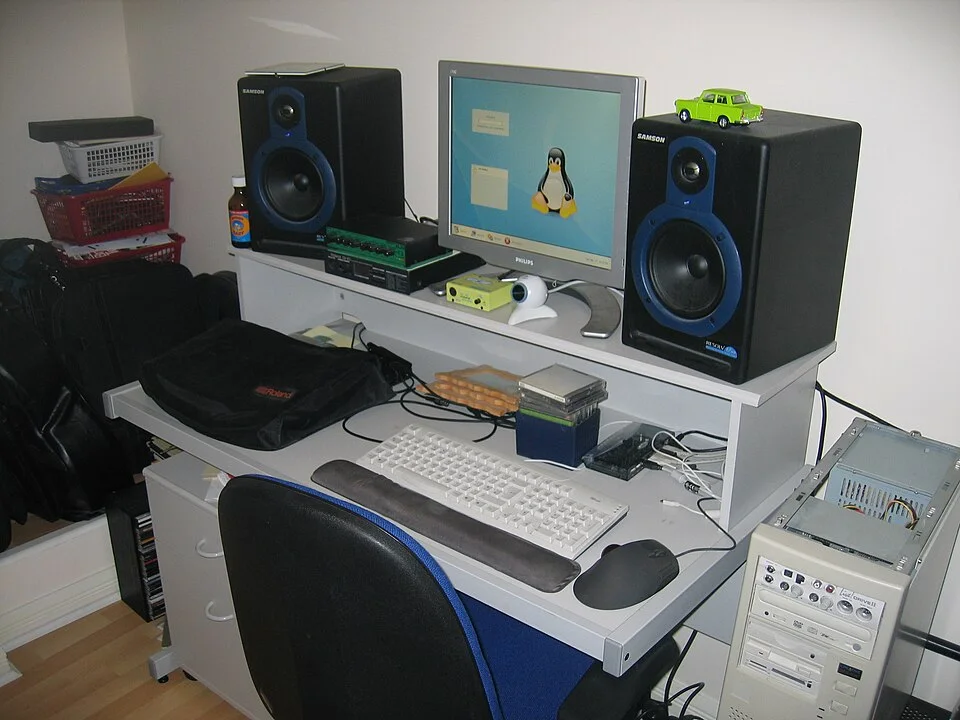
The pulled-out keyboard tray and chair extend beyond the outline of the upper equipment shelf. Draw the closed furniture and occupied working area separately in your own corner plan, including standing up and nearby opening movements. Measure the actual boundaries and projections; this photograph provides no usable width, chair clearance or equipment recommendation.
Photo & usage
Tim Walker · CC BY 2.0 · Source. Display copies resized and encoded as WebP; no instructional details were fabricated or removed.
Try the candidate position with existing suitable furniture before ordering anything. Keep walking routes and exits clear, and retain access to windows, heating controls and ventilation openings. A layout that requires another person to squeeze past your chair is a reason to reconsider the location.
Here is a hypothetical layout calculation, not a clearance standard. A recess is 60 inches (152 cm) wide and a proposed desk is 40 inches (102 cm) wide. The remaining 20 inches (51 cm) is not automatically useful storage space: a radiator projection, plug or opening cupboard may already claim it. Likewise, desk depth says nothing about the space needed behind the seated worker.
Use your paper sketch to reject conflicts, then check the real movements without leaving mock-up boxes in the route. If there is no workable occupied footprint, consider a shared table with portable equipment rather than forcing a permanent desk into the recess.
Fit the chair, hands and screen as one arrangement
Start with your feet supported and your back against the chair's support. Bring the keyboard and mouse close enough to use without reaching forward. In OSHA's Good Working Positions guidance, relaxed shoulders, aligned wrists and forearms, supported feet and supported back are the useful reference points. It also recommends changing position frequently; a carefully adjusted corner still needs opportunities to get up.
If raising the chair to the worktop leaves your feet unsupported, use a stable footrest intended for the job. Check that the higher seat still leaves room for your thighs beneath the desk. A drawer or thick apron can make an otherwise attractive table unsuitable.
A laptop ties the keyboard to the display. For regular typing, consider a separate keyboard and mouse so the screen can be positioned independently on a suitable stable stand. Keep the stand within its stated capacity and the laptop's ventilation requirements. Avoid unstable book towers.
OSHA's monitor guidance generally places the display 20–40 inches (50–100 cm) from the eyes, directly ahead, with its top at or slightly below eye level. Increase text size if necessary instead of leaning toward it. These are adjustment starting points, not a promise that every user needs the same arrangement.
If equipment cannot fit while maintaining supported sitting and comfortable reach, reduce the equipment or choose a different surface. Avoid buying storage that consumes the legroom you just established.
Buy furniture that does not depend on the wall
A freestanding desk can make moving straightforward, but inspect its instructions before purchase. Check the assembled dimensions, load rating, legroom and any required securing method. For a folding desk, also identify where it will be stored and how its locking mechanism operates. If folding requires dismantling the whole workstation nightly, a plain fixed table may be easier to live with.
Read tall storage instructions just as carefully. The CPSC's Anchor It! guidance calls for securing top-heavy furniture and following manufacturer instructions. Rental constraints do not make required anchoring optional. If suitable installation cannot be agreed, choose different furniture; use a qualified installer when wall construction or concealed services are uncertain.
Do not substitute decorative adhesive hooks for specified anti-tip hardware. Keep the daily kit in a shallow desktop tray or an existing cupboard instead of adding a tower of shelving. Check any feet, protective pads or chair mat against the floor manufacturer's guidance before use. Lift furniture with appropriate help rather than dragging it across the finish.
Choose the position by the window and socket together
Visit the candidate spot during your usual working hours. Open a normal document and look for reflections that obscure text. OSHA recommends positioning the monitor perpendicular to a window; try that orientation before adding equipment. Use existing blinds where available. At night, position a freestanding task lamp so it illuminates paper without reflecting in the screen.
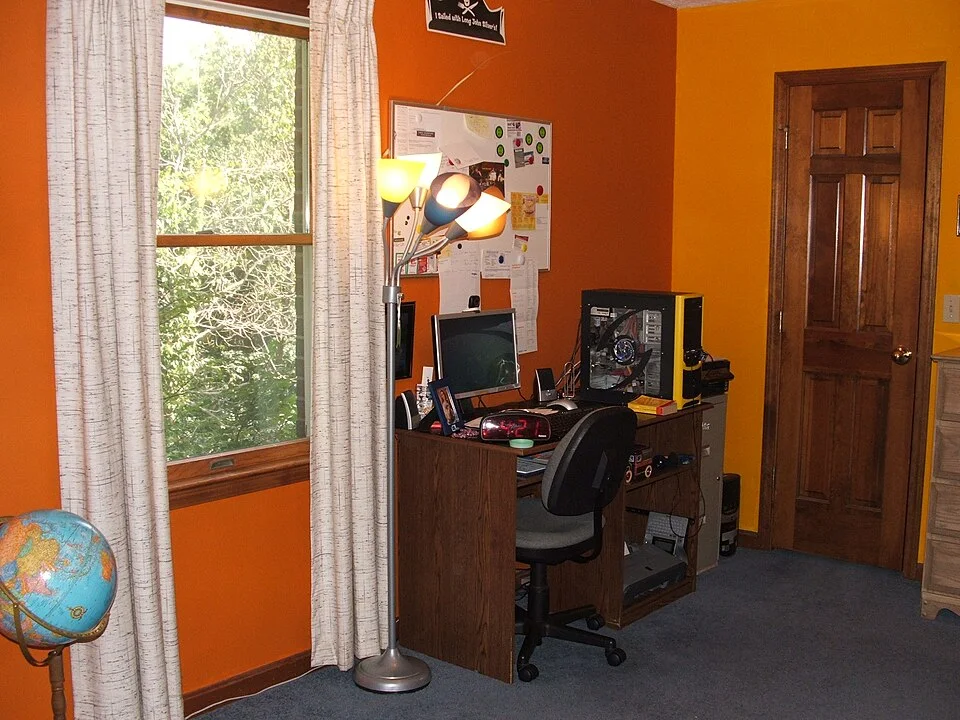
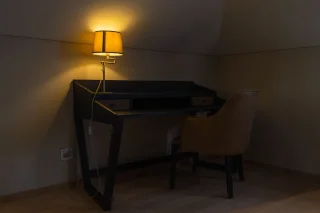
The desk sits next to a window, with a lit freestanding lamp beside it. Observe the screen under the daylight and artificial light used during work, then trace each actual lead to its socket. This photograph locates the lighting sources; it does not show every cable or establish glare, electrical capacity or chair clearance.
Photo & usage
Bob the Wikipedian · CC BY-SA 3.0 · Source. Display copies resized and encoded as WebP; no instructional details were fabricated or removed.
Now trace each actual cable from device to socket. Allow enough slack for normal screen adjustment without leaving loops where feet or chair wheels travel. Reusable ties can gather device leads loosely on the desk, with connectors still accessible. Do not bind them tightly around furniture.
The CPSC Home Safety Checklist, pages 5–6, identifies damaged cords, cords in foot traffic, pinched wiring and overloaded extension cords as problems. Keep cords out of walking routes and out from beneath rugs or furniture; do not trap them between the desk and wall. Follow equipment ratings rather than treating spare sockets as proof of spare capacity.
If power only reaches by crossing the room, reconsider the desk location. Stop using an outlet that becomes unusually warm or hot and have the landlord arrange a qualified electrician's check, as the CPSC advises. Do not open outlet covers or modify wiring for this project.
Make wall decoration optional, including its removal
You can define the corner with a desktop organiser, matching tray and notebook without attaching anything to the building. Keep the wall empty through the first working week so decoration does not commit you to a poor location.
If you later choose removable hooks, verify the exact product's surface restrictions, weight limit, application steps and removal space. 3M's Command FAQs exclude wallpaper and heavily textured surfaces and warn that weak, damaged or uncured paint can come away. The brand's stretch-release removal method pulls the tab slowly down along the wall, rather than outward. Other adhesives may require different methods.
Keep the package and leave the removal tab accessible. If you cannot identify the finish or reconcile the attachment instructions with the surface care requirements, keep that item freestanding. Stop if paint lifts during removal and ask the property manager how they want the finish handled rather than scraping or applying an improvised solvent.
THE WORKING FILE / ROUTE
Measure the occupied chair, not only the desk
A hypothetical 1.75 m-deep corner contains a 0.60 m desk. The seated chair projects 0.65 m beyond its front, leaving 0.50 m before the opposite boundary. Pulling the chair back another 0.30 m for standing leaves just 0.20 m. These are a problem demonstration, not ergonomic clearance recommendations.
Furniture without a person
- Depth accounted for
- 0.60 m desk
- Unallocated depth
- 1.15 m
Normal seated use
- Depth accounted for
- 0.60 + 0.65 m
- Unallocated depth
- 0.50 m
Standing-up movement
- Depth accounted for
- 0.60 + 0.65 + 0.30 m
- Unallocated depth
- 0.20 m
Read the result
The desk-only drawing overstates available space by ignoring the person. Try the occupied position with the actual chair and screen, then carry out the stand-up and pack-away movements. Relocate or reduce furniture if the occupied arrangement obstructs the room. A free-standing desk does not make a separate tall storage unit exempt from its manufacturer’s anchoring instructions.
Your route record Blank worksheet
Prove the working position and evening shutdown without relying on prohibited alterations.
- Working footprint
- ________________________________
- Standing footprint
- ________________________________
- Chair adjustment
- ________________________________
- Screen position
- ________________________________
- Daylight/reflection
- ________________________________
- Socket and cable route
- ________________________________
- Required fixing permission
- ________________________________
- Evening shutdown trial
- ________________________________
Before closing the file
- The person fits both seated and standing.
- Cables do not cross the route.
- The complete setup can be used and put away safely.
Approve the corner after a complete workday
Use the arrangement for real tasks, then perform the shutdown you wrote at the start. Note each item that needs moving twice or has no destination. Resolve those failures before adding another container.
- During work: you can type, use the mouse and read without reaching around clutter; the chair and nearby doors move normally.
- After work: equipment has an assigned place, the walking route is clear and the room can perform its evening function.
- Before keeping it: furniture is assembled as instructed, cables remain unpinched, and the floor and wall show no new marks.
Keep a short record of the chair and screen adjustments that work, particularly if someone else uses the corner. Store assembly instructions with the equipment list for the next move. The finished office is the arrangement you can comfortably use and reliably put away.
THE REFERENCE FILE
Sources & scope
Documentation reviewed 1 Nov 2026. Examples are illustrative; this article does not claim hands-on product testing. Follow the instructions for your actual material, model and location.
.jpg)
