Locate the reflection in the real working view
A bright rectangle on a monitor often sends people straight to the brightness control. Before adjusting the screen, sit where you normally work and identify what the rectangle reflects. A window, overhead fitting and pale wall can produce different patterns. Describe the location on the screen and the time it appears.
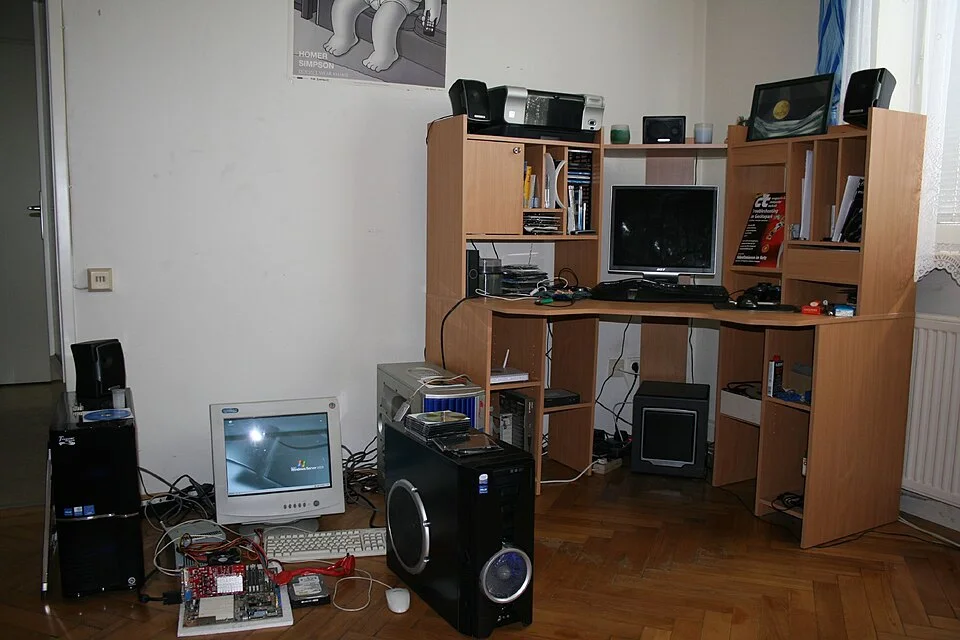
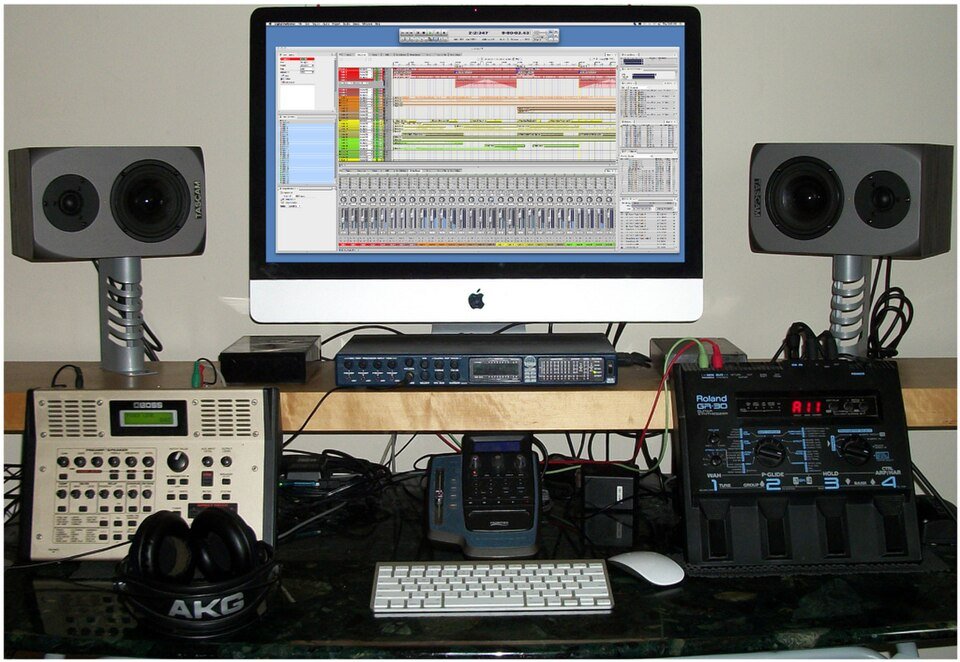
The main display, keyboard position and nearby window keep the actual viewing geometry in context. From your own ordinary working position, describe the screen patch and time before changing the monitor angle. The photographed screen does not identify daylight as the source of every bright mark, and the equipment on the floor is not a setup to reproduce.
Photo & usage
Stefan Ledwina · CC BY-SA 2.0 · Source. Display copies resized and encoded as WebP; no instructional details were fabricated or removed.
Use ordinary work content as well as a dark screen for diagnosis. A dark surface makes reflections easy to see, but the real question is whether they interfere with the document, code or image you use. Keep text size, chair position and normal eyewear unchanged during the first comparison. Otherwise a more readable screen may simply reflect an unrelated setting change.
The workstation guidance from OSHA, WorkSafe Queensland and CCOHS supports examining light paths and the occupied position. Their workplace material is a source of principles here, not a claim that this home desk has been assessed against a workplace standard. The task is to find a practical layout that preserves both readable content and a comfortable seated posture.
Separate a reflected source from a bright background
Temporarily operate the existing window covering while staying seated. If the patch on the screen changes or disappears, the window contributes to the reflection. If the screen still looks difficult to read because the surrounding view is very bright, there may also be a background contrast problem. Record the two separately.
A small piece of card held by hand can help interrupt a suspected light path briefly, without touching the screen or covering ventilation. Keep it away from hot fittings and never attach it to the monitor as an improvised permanent hood. The purpose is to identify a source, not create a new obstruction around electronics.
Look at other reflective objects around the desk. A glossy white desktop or glazed picture may redirect brightness into the occupied view even when the window's image is reduced. Do not change them all at once. Mark which object appears responsible and keep the first trial confined to monitor orientation so the result remains interpretable.
Rotate within the desk's practical limits
If the monitor stand permits it, make a small horizontal rotation and return to the normal seated position. Do not twist cables, exceed the stand's adjustment range or leave the display unbalanced. Move the chair only enough to keep a normal viewing relationship, and note that movement in the record.
Observe whether the reflection shifts across the display, disappears or is replaced by another source. A useful starting relationship often puts the window to the side rather than directly in front of or behind the user. Actual room geometry determines the result; a right-angle diagram is not a guarantee for every multi-window room.
After finding a promising angle, type, use the pointer and read the top and bottom of the usual content. A screen rotation that removes glare but requires sustained neck twisting is not acceptable. If the desk cannot support a comfortable viewing position at that angle, retain the light-path finding and test a larger furniture move as a separate step.
Compare three illustrative layouts
This example uses invented observations from six checks during a hypothetical work period. A blocked check means the reflected window overlaps the main text column from the normal seat. The counts are an informal comparison, not a standard glare score or a measurement of productivity.
| Layout | Blocked checks out of six | Posture and desk use |
|---|---|---|
| Original | 5 | Normal posture |
| Small supported rotation | 1 | Normal posture retained |
| Large supported rotation | 0 | User turns sideways to type |
The small rotation removes four of the five recorded blocked checks. Four divided by five is 0.8, or 80% of this narrow count. That percentage should not be reported as an 80% reduction in glare intensity or an improvement in visual performance. The record measured occurrences, not light intensity or health effects.
The large rotation wins on the count but fails the working posture check. Keep the smaller adjustment as the better candidate, then use an existing covering for the remaining troublesome period if that works. Recheck with the usual task before committing to the layout.
Adjust coverings without making paper unusable
Use the identified source to guide a small blind or curtain change. Intercept the portion of the window responsible for the reflection where the covering allows it. Then check paper documents, keyboard visibility and the view around the screen. The desk should not become difficult to use simply because the display looks darker and cleaner.
If the room has a task light, keep its beam away from the display and check it separately. Adding a bright lamp before removing the window reflection may create another competing patch. Make one change, inspect the work, then add the next only if needed. Existing equipment can reveal whether the issue is geometry or insufficient useful light.
Screen brightness and contrast still deserve normal adjustment, but do not use their maximum settings as the sole glare remedy. Record a comfortable setting after the light path improves. Cleaning the screen according to its manufacturer can remove another confounder; dust and smears should not be mistaken for a window-position problem or scrubbed with an unsuitable product.
Recheck across time and ordinary movement
Daylight changes during a work session. Check the promising layout when the original problem usually appears and at another common working time. A reflection removed at 10:00 may return at 14:00 from a different part of the window. If the desk faces more than one window, include both in the sketch.
Move naturally within the chair rather than holding one perfect head position. Read a document, glance at notes and join an ordinary video call if that is part of the desk's use. A layout that works for a dark application but fails on a glossy secondary screen needs another note, not a blanket pass.
Phone photographs can document geometry, but automatic exposure and camera angle make them poor evidence of comparative brightness. Keep written seated observations as the main result. If a photograph looks clear while the user still sees a distracting reflection, trust the occupied task and inspect the camera difference instead of declaring the problem solved.
Finish with a reproducible working position
Record the monitor's final relationship to the window and desk edge using a sketch or visible reference. Include the normal chair position and the covering setting for bright conditions. Check cables have slack through supported adjustments, ventilation stays clear and the stand remains stable when the desk is used normally.
Ask another regular user to try the layout. Their height and viewing position may change the reflection path. If the desk is shared, keep two simple supported positions or choose a covering routine that serves both people. A tiny mark on an appropriate removable reference may help, but avoid adhesive on finishes that could be damaged.
Complete the trial when ordinary work stays readable through the relevant daylight period without an awkward posture or unsafe arrangement. If the room offers no suitable orientation, the record still provides a clear brief for a desk move or different equipment. It identifies the troublesome source and the practical limits, rather than merely asking for a brighter screen.
THE REFERENCE FILE
Sources & scope
Documentation reviewed 1 Nov 2026. Examples are illustrative; this article does not claim hands-on product testing. Follow the instructions for your actual material, model and location.